CleanTheBank
First run · Checked August 22, 2026

Clean The Bank Beginner Guide

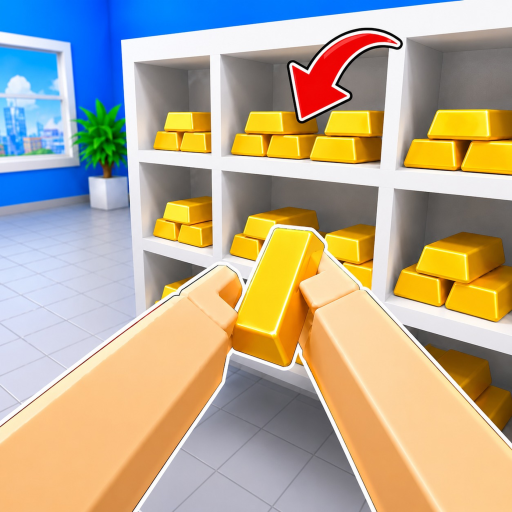
Pick up one nearby object, inspect it if needed, place it where it belongs, and clear one readable bank section at a time.

Four-step loop

Your first sorting run

These steps use the actions named in the official Roblox description; they do not depend on an unverified item map.

  1. 1

    Choose one nearby object

    Begin in a small visible part of the bank. Choosing a nearby object keeps the floor readable and prevents you from building a second pile of unknown items.

  2. 2

    Pick it up

    Use E or click on PC, or RT on controller. Carry one object while you learn the room instead of moving several uncertain objects at once.

  3. 3

    Inspect or set it down when unsure

    Use R to inspect on PC or press the right stick on controller. If the destination is still unclear, use F on PC or LT on controller to drop it safely and solve a clearer object first.

  4. 4

    Place it, then repeat

    Move the object to its matching location and place it. Continue through the same small area before crossing the bank; a tidy section makes later choices easier.

Solo

Keep the floor readable

When playing alone, finish a small visible area before carrying objects across the bank. Inspect an uncertain object, put it down without blocking a clear destination, and switch to something you can solve. This reduces backtracking without pretending there is one proven fastest route.

Co-op

Split work without duplicating it

In a group, divide visible areas or simple roles: one player can inspect uncertain objects while another clears obvious placements. Call out a destination before moving an object from someone else’s area. The official listing confirms co-op, but no fixed team-size strategy is published.

If stuck

Recover without guessing

The destination is unclear

Inspect the object, set it down safely, and solve a clearer nearby object. No verified item-location database is public yet.

A control does not respond

Check the device table, click back into the game window, and rejoin if the current server appears unresponsive.

The team repeats work

Assign visible areas or inspection/placement roles, then call out uncertain objects before moving them.

Avoid

Common first-run mistakes

  • • Moving many unknown objects into one pile.
  • • Crossing the bank before clearing an obvious local section.
  • • Claiming a “best” Upgrade without seeing its current cost and effect.
  • • Relying on a Magic effect that is not shown by the live HUD.
  • • Treating an unverified map or video route as a guaranteed record.
FAQ

Beginner questions

How do you pick up items in Clean The Bank?

Use E or click on PC. On controller, use RT.

How do you inspect an item?

Press R on PC or press the right stick on controller.

Can Clean The Bank be played solo?

Yes. The official description supports both solo and co-op play.

What is the best route through the bank?

No verified bank map or repeatable timing route was public when this guide was checked, so it does not claim a fastest path.

All Guides

Return to the complete guide hub.

Controls

Find the exact official input by device and action.

Gamepasses

Compare the names, current prices, and sale status returned by Roblox.

Upgrades & Magic

Use the official-system check before trusting effect or priority claims.

Codes

Check the current public code and 1,000-likes milestone status.

Wiki

Review confirmed systems and current information gaps.